
Online maps created by our users
- Address geocoding from CSV file
- Map of USA states
- Visualize business sales data
- Data mining or marker clustering map
- Filter map markers by category
- Map with routes and multiple layers
- Store locator in France
- Generate maps from spreadsheet data
- ZIP code search on congressional map
- Present multiple database stats
- Density choropleth map
- Census data and demographics map
- Make an online interactive image map
- Route map of rally across provinces
- Crowd sourcing map
- Geographic regions on Google Maps
- Driving routes between locations
- Annotated Interactive Metro Map
Interactive map solution
HTML5 map solution
Map using Category Legend with Show/Hide Controls for Overlay Objects
Showcase > Map solution based on Google map >
iMapBuilder Online - Custom Google Map Builder now includes category legends. You can now group pinpoints, lines and polygons under different legends. A legend box would be displayed on the map to allow map viewers toggling the objects on or off. Category legends act as a simple filter for the map objects, or you can use them as simple map layers for showing or hiding map data.


Map Features
- Category legends can be used as filtering tool or layer tool to show/hide the objects on the map.
- Group overlay objects (e.g. markers, lines) into categories for your map
- Let visitors click to display / hide map layers from checkboxes control
User Guide: How to create maps with category legend, toggle markers show/ hide.
Video Tutorials for Creating Maps Online
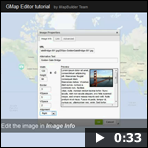 Creates interactive map and custom image map online without programming. Watch our video tutorials below:
How to create an interactive map by using GMap Editor
How to add markers in the Google Map Editor
Try it free to create maps online.
HTML5 Maps With Cross Device Capability
 iMapBuilder HTML5 mapping software creates interactive map that supports desktops, tablets and mobile (e.g. iPhone and Android devices). Various overlays can be added into the map without coding knowledge.
Download the trial to create your own map.