Cloud-based Interactive Mapping Application - Main Features:
Rapid Online Interactive Image Map Making Tool: Create your own interactive maps and images is easier than ever:
iMapBuilder Online Interactive Maps - Detail Features
iMapBuilder has many innovative features that make it easy to use and a quality solution for business planning or presentation uses. Advanced features include:
Create Interactive Maps Easily |
||
|---|---|---|
|
|
|
Visualize Business Data and Geographical Locations |
||
|
|
|
|
|
|
Feature Rich Customization Tools |
||
|
|
|
|
|
|
|
|
|
Publish and View Your Maps Anywhere |
||
|
|
|
Our Valued Customers
iMapBuilder on line Map Creating Tool
iMapBuilder online mapping software and customised map solutions are being used throughout the world in some of the top companies and organizations including: Amway, AXA, CathRx, Cisco, Deckers Outdoor Corporation, DHL, Fluor, Imperial College London, Luminar, Motorola, National Oilwell Varco, Nestle, Pepsico, P&G, Plymouth State University, SIEMENS, Sonoco, The International Cat Association (TICA), UNI-ASIA Finance Corporation, Turkish Airlines, Unilever, University of Colorado, Yale University and more!
We also work closely with resellers in different business sectors with our partnership & private label program.
Try Now Online, Run In Browser
Create interactive maps using flash map templates, Google Map, or import any image
Customize Maps
iMapBuilder online Interactive Image Map Building Tool
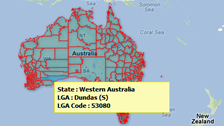
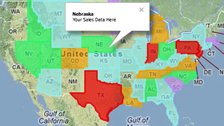
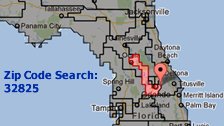
Add states and provinces as overlays on the map - they can be customized with colors or messages or even data-driven
(with your sales, properties and business data)
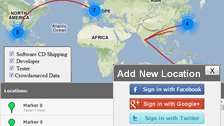
Insert data from Excel spreadsheet or CSV files, so your (business) data can be displayed on the map as pinpoints or
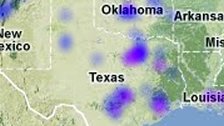
create a heat map (map chart) by locations or as overlays.
Create interactive maps using flash map templates, Google Map, or import any image such as photoshop pictures, floor plan, chart, diagrams, exhibition booth design, virtual tours, etc. View using any browser on PC, iPhone and Android mobiles.
Discuss everything about iMapBuilder and interactive maps in our support forum.
User Guide
Highlight of iMapBuilder online user guide
Select
map templates : A wide selection of templates are now available for you to choose from, you can also import your own custom map image.
Support
heat map: Create a heat map to visualize the location based data by highlighting distributions in an area.
Add map legend : List the colors/lines used on the map and help users to understand the meaning of what the map represents for a more effective presentation.
Custom map region : Add and define your own clickable custom map area in circular, rectangular or irregular shape.
Add
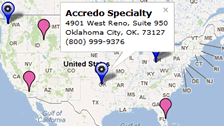
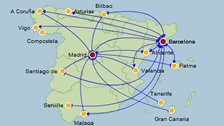
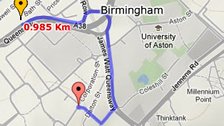
points/lines/curves : Insert various points, lines and curves to locate a point of interests, display travel routes. Make even more user-friendly with pop-up info boxes and tooltips showing additional information.
Generate
embed code : Get embed code that you can paste on your webpage or use in an online website design tool without having to worry about FTP capability
Change map theme : You can set the color and themes of your map color easily in an instant.
Highlight of GMap Editor V2 user guide
Add markers by addresses on GMap : Add markers to your custom Google map by filling in addresses, city names or zip codes.
Import marker data file : Use Excel, Open Office Calc or other programs to prepare data file with address or Latitude/ Longitude data and import to your custom Google map.
Define a Custom Region : Use Polygon, Rectangle, Circle Tool to define your own clickable areas on Google map.
Video Tutorials : Create clickable image maps by following the detailed steps in the videos.

Share on Facebook